For NYC leagues

Your permit is a PDF. Your season shouldn't start with retyping it.

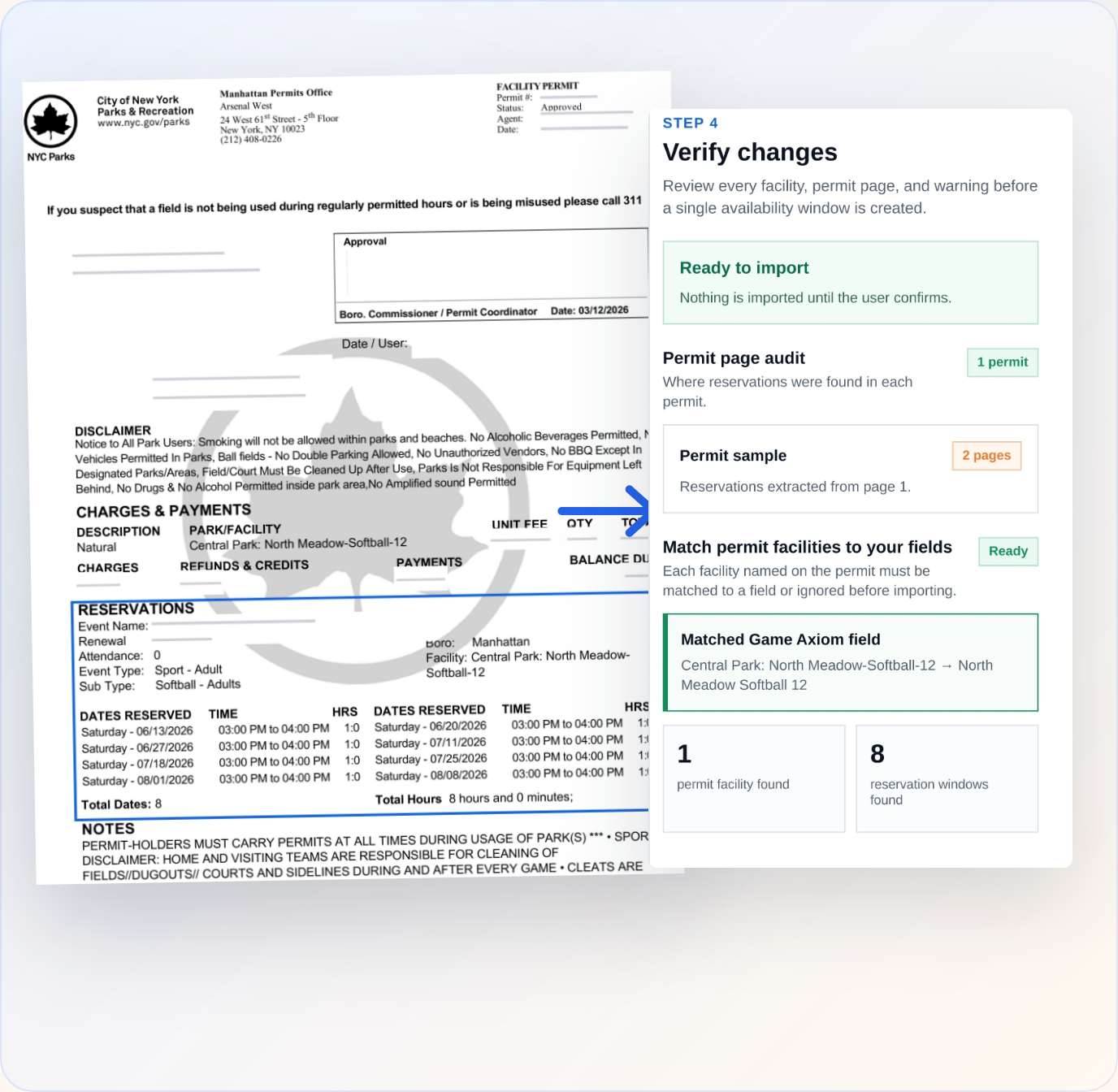
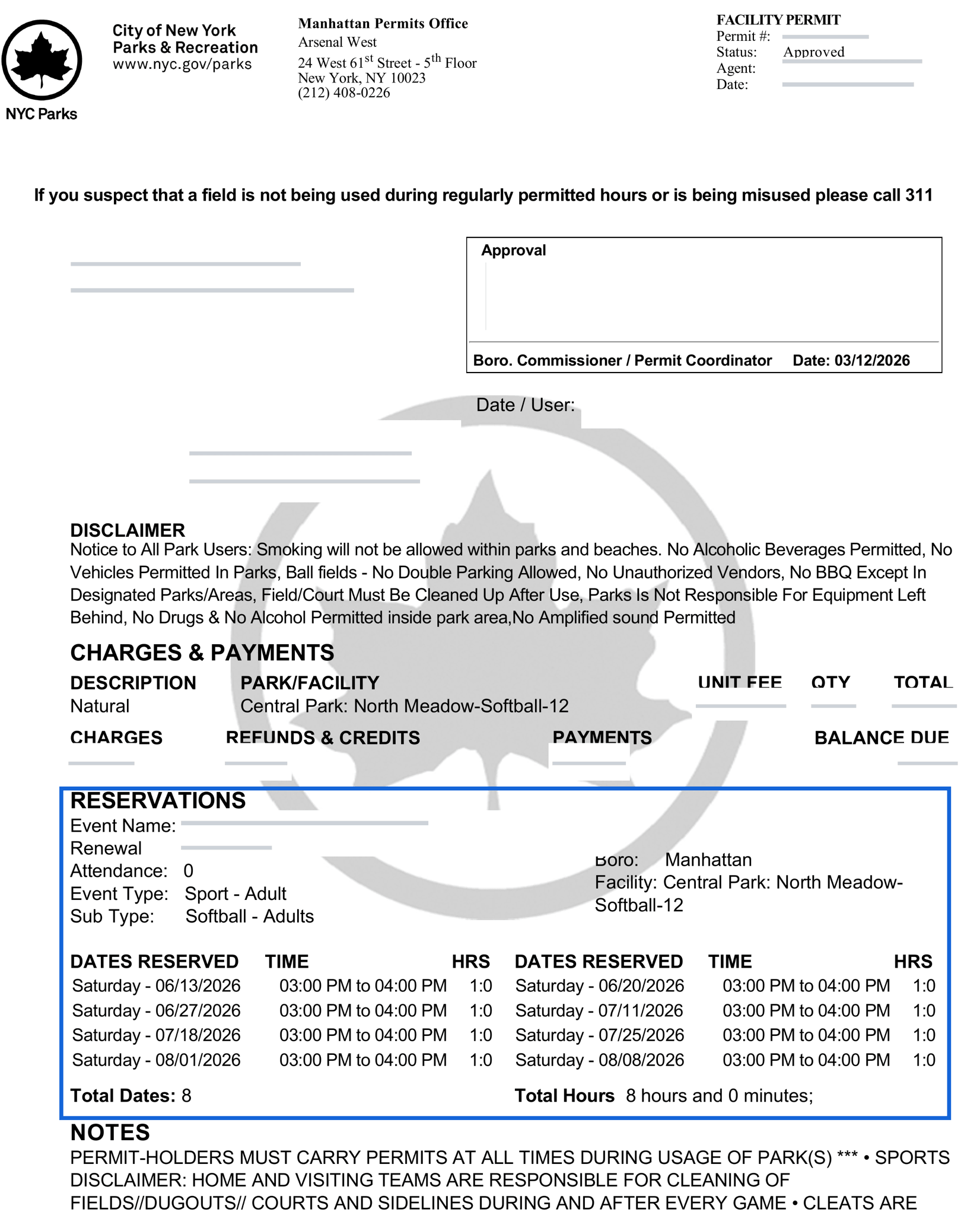
Upload your NYC Parks facility permit. Game Axiom pulls out every reserved date and time, matches each permit facility to your fields, and keeps the original permit on file.

Selecting NYC Parks permit PDFs in the Game Axiom availability import flow.

You already did this work once

The permit arrives as a PDF.

Every reserved date, every time window, every field - locked in a document you can't schedule against.

So it gets retyped.

Into a spreadsheet, then into your scheduling tool. Forty rows, by hand, before you've scheduled a single game.

And then it changes.

An amended permit shows up, and you do it again.

Upload the permit. Confirm the fields. Done.

1

Upload the permit PDF

Drop in the permit NYC Parks emailed you. Multiple permits in one PDF, or several PDFs at once - both work.

2

Match each permit facility to your field

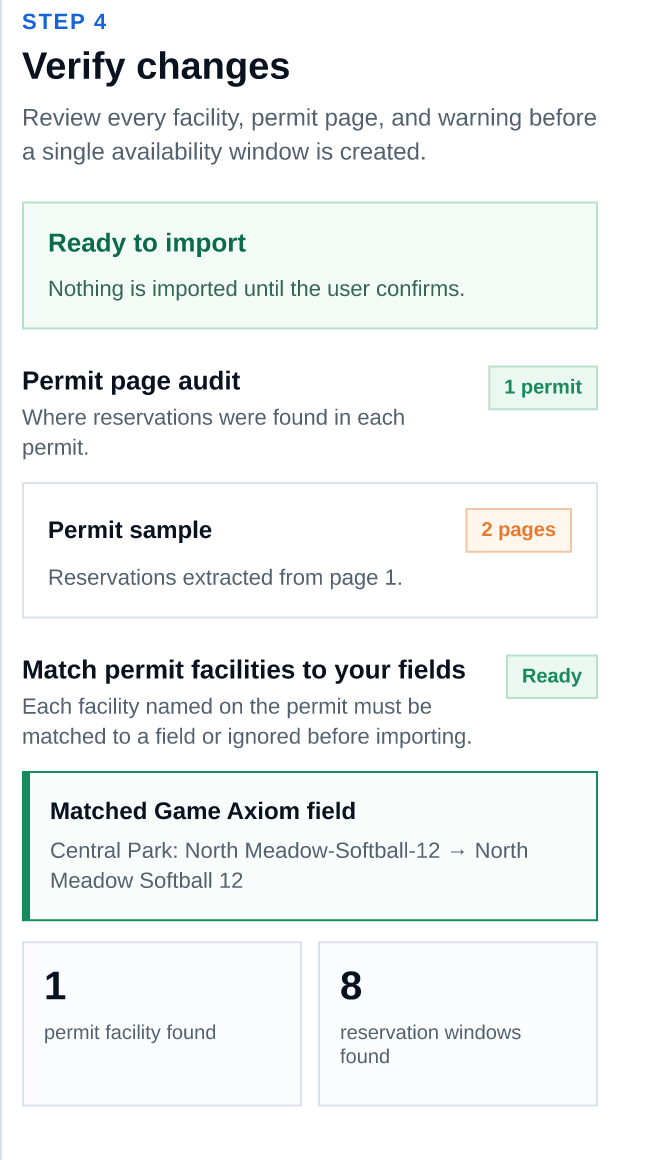
Permits name facilities their way ("Central Park: Great Lawn-Softball-03"). Match each one to your field, create a new field or venue on the spot, or skip it. Game Axiom shows you exactly what it found before anything is imported.

3

Your availability is live

Every reserved window lands on the right field, ready to schedule against — with conflicts caught before you publish.

Built for how permits actually work

The original permit stays with the availability

Open the source permit PDF from any imported window - from the review screen or from the field itself. When someone asks why a field is booked, the answer is one click away.

Nothing is imported until you confirm it

Review every facility, every permit page, and every warning before a single availability window is created.

A bad page doesn't kill the import

If one file or page isn't a permit we support, it's skipped and named - the rest still imports.

Works with the text-based permit PDFs NYC Parks issues. Scanned or photographed permits aren't supported yet.

Permits are where your season starts, not where it ends

Once your fields have availability, Game Axiom runs the rest of the season: registration, payments, rosters, schedules, standings, waivers, and your public league site.

See everything Game Axiom does →

FAQ

Which permits does this work with?

NYC Parks Department (DPR) facility permits, as issued - the PDF that arrives by email. Multi-page permits, several permits in one PDF, and batches of permit files all work.

What if the permit names a field I don't have in Game Axiom yet?

Create it during the import. You can add a field to an existing venue, or create the venue and field together, without leaving the flow.

What happens when I get an amended permit?

Import it. Windows that already exist aren't duplicated, and anything that overlaps existing availability is flagged for you to accept or skip.

Can I still see the original permit later?

Yes. The permit PDF is stored with the availability it created and can be opened from the field's availability view at any time.

Stop retyping your permits

Set up your league once. Every season after, the permit is an upload.

Join the waitlist